RAREALERT RADAR
Open Radar Find collectible listings before everyone else.
Save focused searches, scan marketplaces, separate new listings, and keep the results you care about organized.
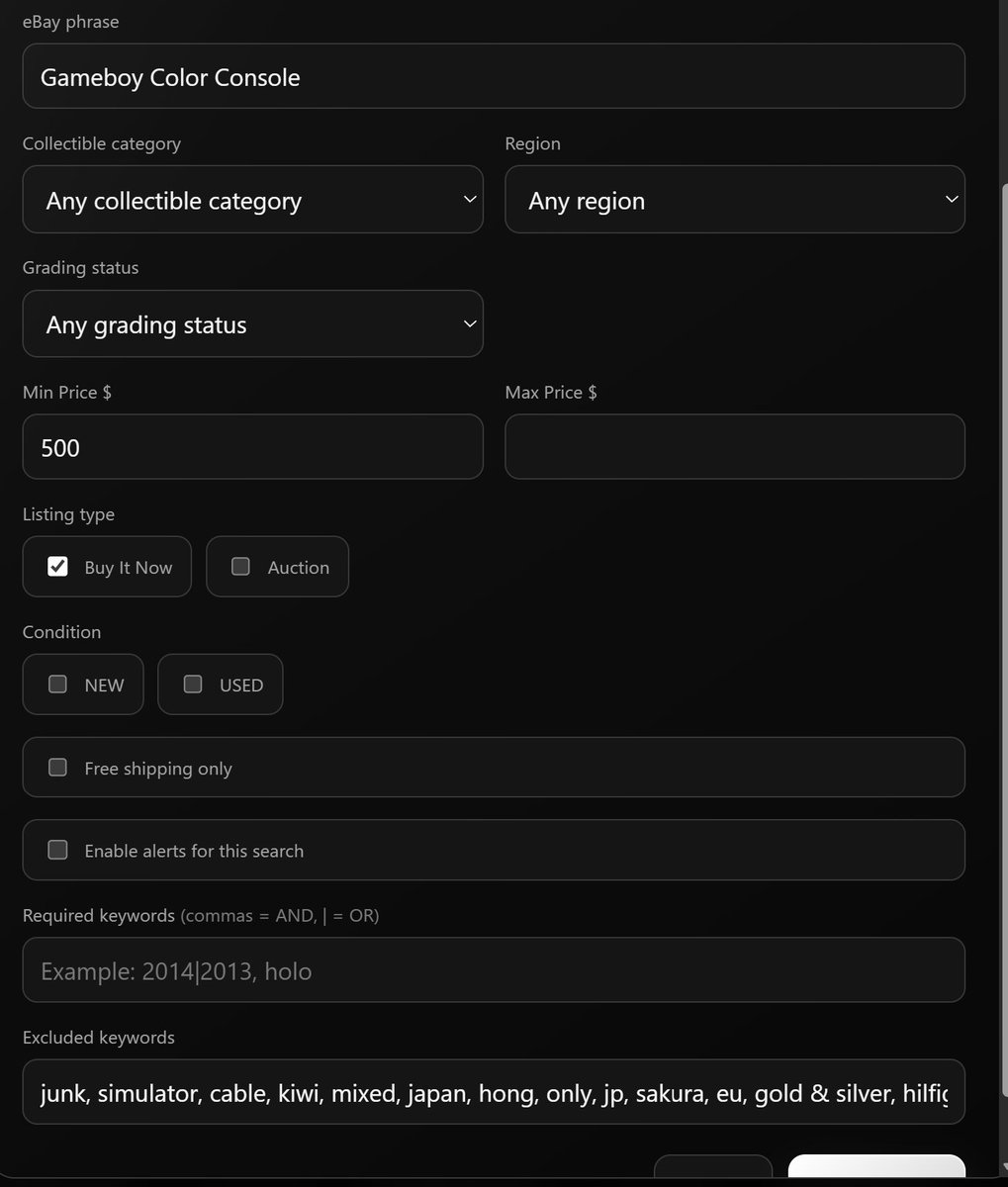
eBay + Facebook MarketplaceNew ListingsPrice DropsEnding Soon
 RareAlertRadar + collector intelligence
RareAlert combines marketplace monitoring with Pokémon card intelligence. Find the collectibles you want, then research population data across PSA, CGC, and BGS before you decide what deserves your attention.
Save focused searches, scan marketplaces, separate new listings, and keep the results you care about organized.
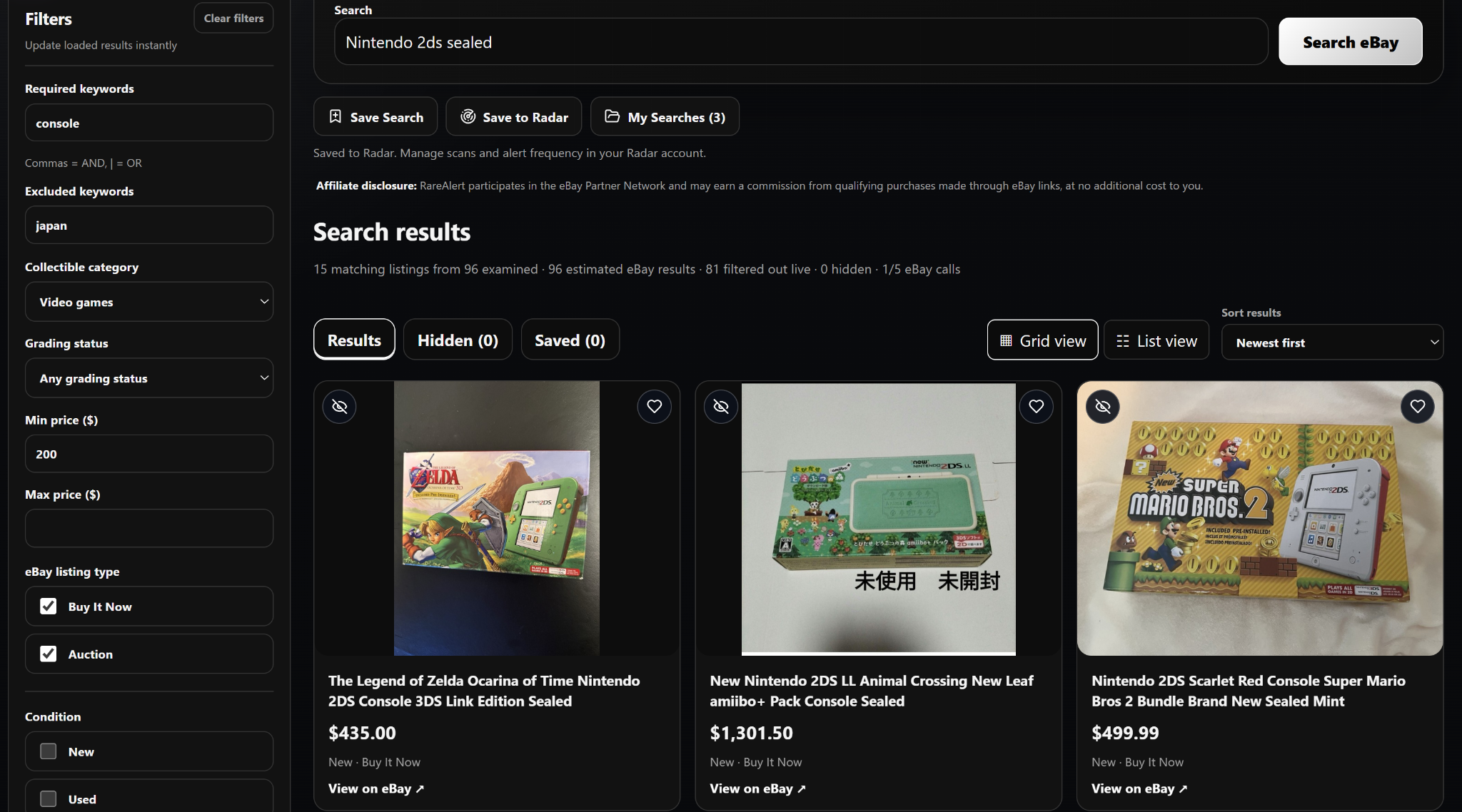
Search live eBay listings with advanced filters for required and excluded keywords, price, condition, and grading. Filter out unwanted results, save searches for later, or send them to Radar for automatic monitoring and alerts.
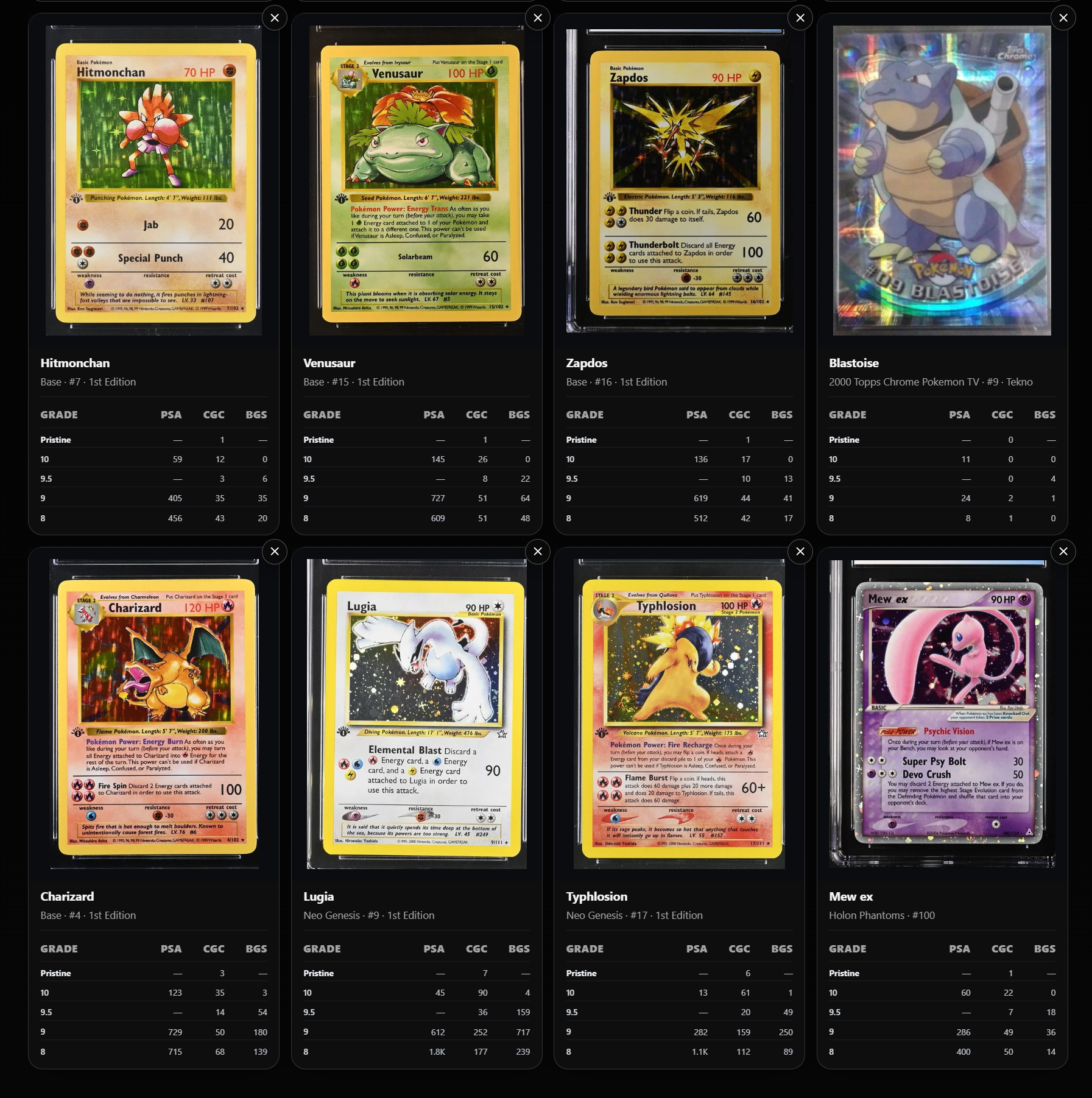
Compare grade populations across PSA, CGC, and BGS and explore cards, sets, variants, low-pop finds, and difficult gem rates.
Affiliate disclosure: RareAlert may earn a commission from qualifying eBay purchases, at no extra cost to you.
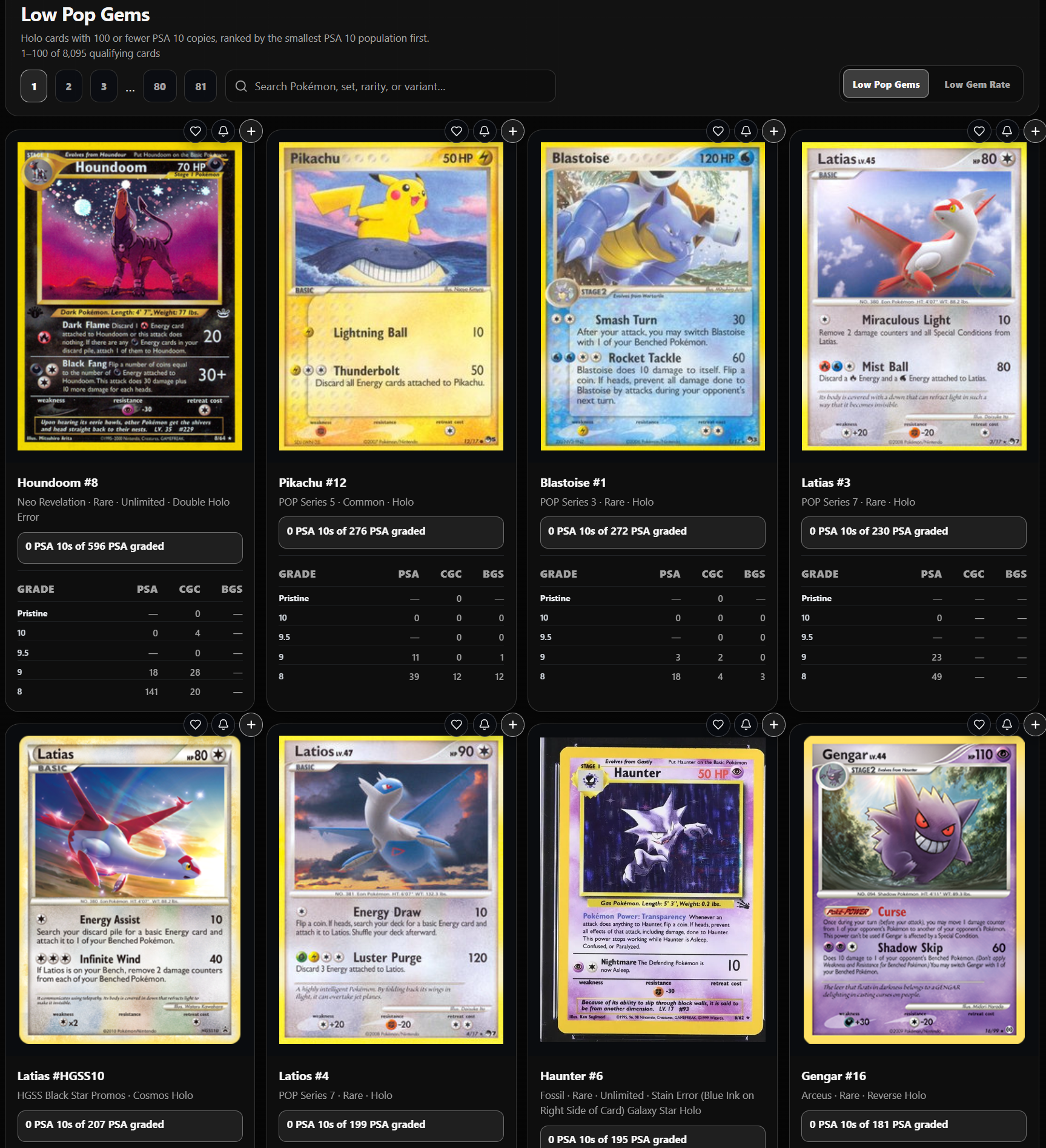
RareAlert uses the population data already inside Intelligence to surface two useful views for Pokémon collectors: cards with low PSA 10 populations and cards with unusually low PSA 10 gem rates.
Browse qualifying holo cards with 100 or fewer PSA 10 copies and compare their grade populations across PSA, CGC, and BGS.
Find cards where PSA 10s make up a very small share of the total PSA population, with the underlying grade counts visible beside them.
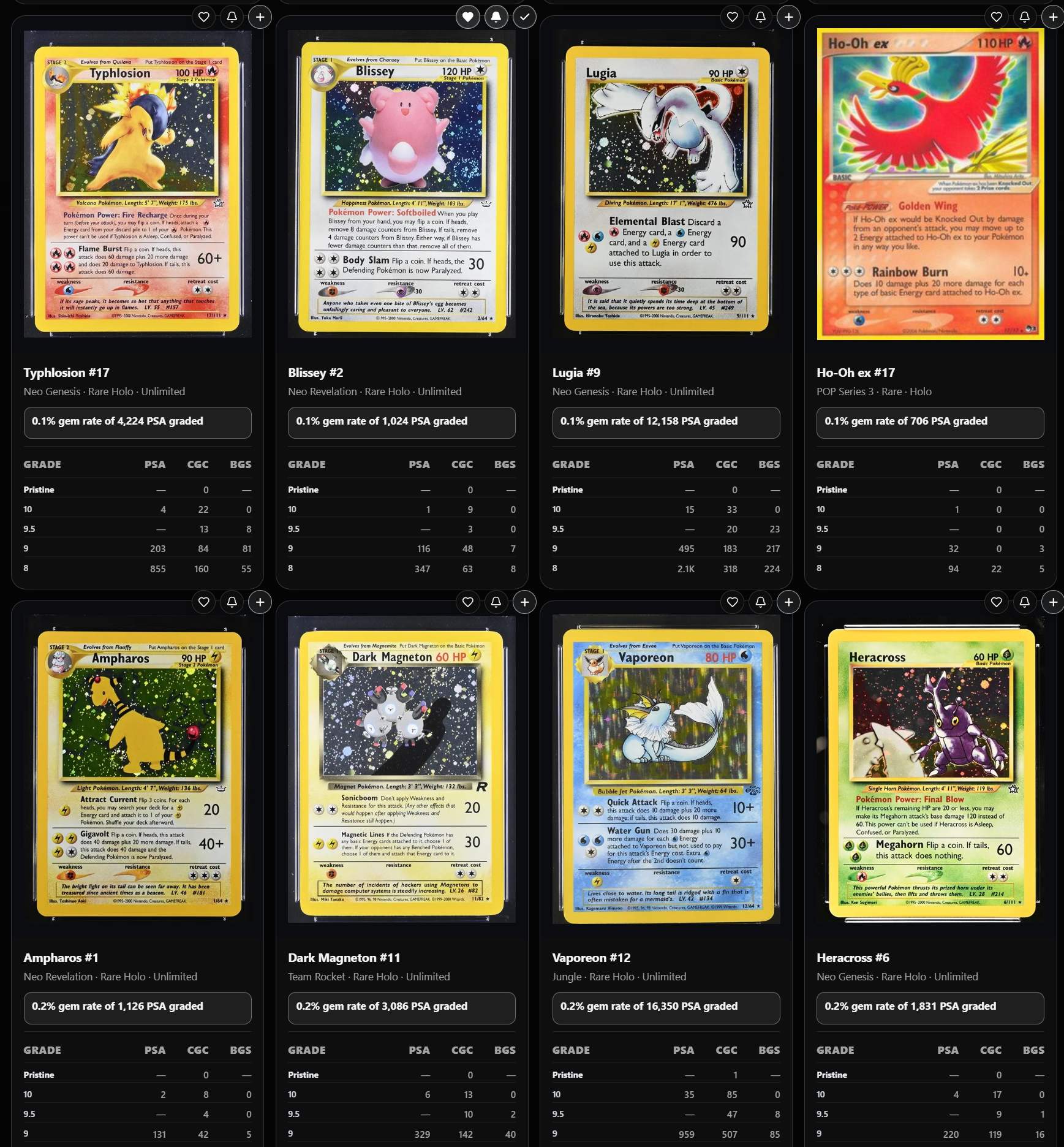
RareAlert Intelligence brings grading population data together around the card itself. Instead of treating a population report as a single number, you can compare grade-by-grade counts, total graded populations, and the specific set, rarity, and variant that the data belongs to.
See PSA 10 population, total PSA-graded population, grade-by-grade counts, and gem-rate context for supported Pokémon cards and variants.
Compare CGC grade populations beside PSA data so you can understand how the same card is distributed across another major grading company.
View Beckett population counts alongside PSA and CGC to compare grade distributions without leaving the RareAlert card view.
Population data is only useful when it is attached to the right card. RareAlert Intelligence lets you search across Pokémon cards and sets, then keeps identifying details visible so similarly named printings and variants are easier to tell apart.
See how graded copies are distributed instead of relying only on the top grade.
See how many PSA 10 copies are recorded relative to the broader PSA population.
Use Low Pop Gems to surface qualifying holo cards with small PSA 10 populations.
Find holo cards where PSA 10s make up an unusually small share of a sufficiently large PSA population.
Collectors often repeat the same searches, review the same inventory, and sort through listings that never truly matched what they wanted.
Repeated searches force you to scroll through items you already reviewed before you can find anything new.
Cases, manuals, reproductions, imports, loose parts, and unrelated listings can bury the item you actually want.
A desirable Buy It Now listing may already be sold by the time a broad or delayed notification reaches you.
RareAlert Radar is designed around the decisions collectors actually make: what to watch, what to ignore, what changed, and when to act.
Give each search its own phrase, price range, listing type, condition, region, grading preferences, and alert setting.
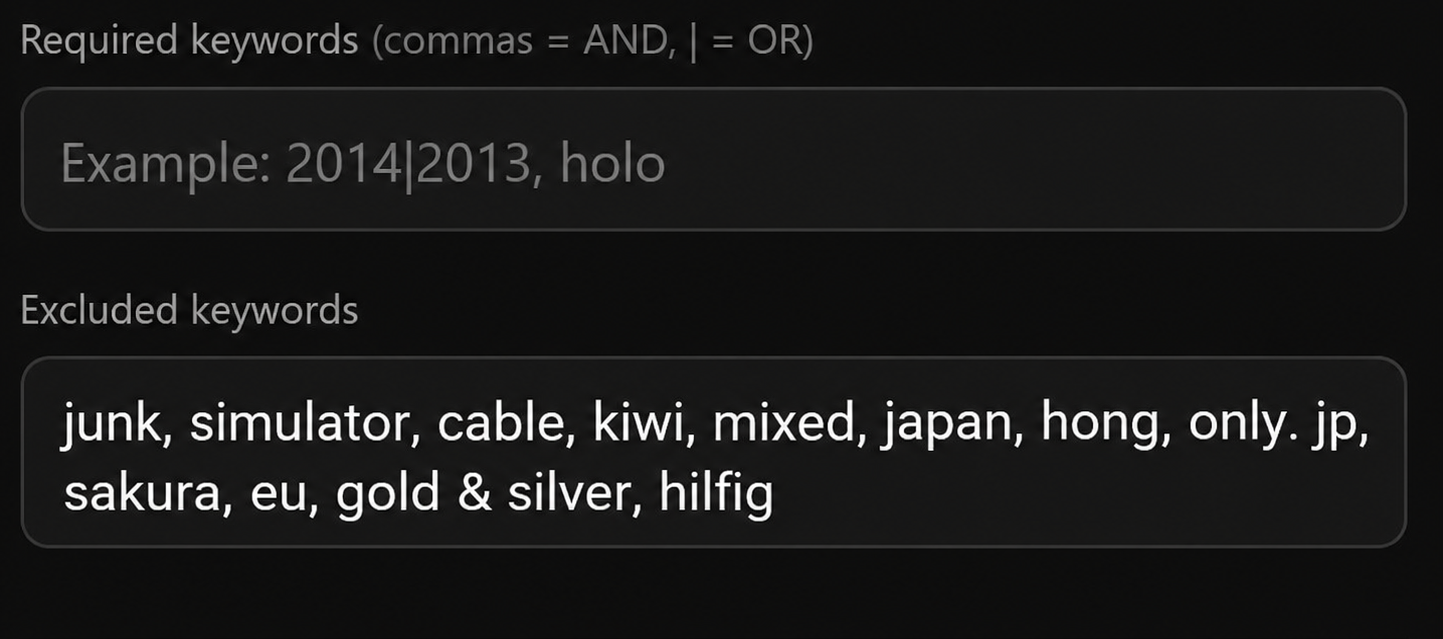
Require the words that matter and exclude the terms that repeatedly produce listings you would never buy.
Run your collector radar once instead of opening and repeating every individual marketplace search.
RareAlert separates unseen listings and lets you save promising items or hide unwanted results.
RareAlert began as a personal solution for managing many highly specific collector searches. Each search can be tuned differently, so unwanted terms do not create junk results or noisy emails.
“This tool makes it so you do not keep seeing the same listings over and over again when you are looking for that special item.”
Pokémon cards and video games are only examples. RareAlert Radar can help with comics, coins, toys, graded collectibles, limited editions, replacement upgrades, and unusually specific items that rarely appear.
Understand how live eBay searching works alongside Radar alerts and Pokémon card Intelligence.
Yes. Enter excluded keywords to filter out unwanted listings, and use required keywords to narrow your results. See advanced filter examples.
Yes. Save Search remembers the search phrase and filters in your browser so you can run them again later. These local searches are specific to that browser and device. Learn how local saved searches work.
Save Search keeps filters for manual searches. Save to Radar creates a monitored search in your signed-in account, using Radar’s scan and alert settings. See how Save to Radar works.
Yes. Radar checks your active saved searches on its scan schedule and can email you about qualifying new listings. Read the collector guides.
Search live eBay listings for free, save the searches that matter, monitor new listings with Radar, and research Pokémon grading populations with Intelligence.