Create a focused search
Start with the eBay phrase you would normally search. Give the search a clear name so it is easy to manage later.
 RareAlertRadar + collector intelligence
RareAlert keeps every hunt separate, applies the filters that matter to that item, and organizes matching listings in one place.
Start with the eBay phrase you would normally search. Give the search a clear name so it is easy to manage later.
Choose price, listing type, condition, category, region, grading options, required keywords, excluded keywords, and whether alerts are enabled.
RareAlert scans active searches and combines matching listings into one organized dashboard.
Use New Listings to identify unseen inventory. Save interesting listings to your Vault or hide items you do not want to see.
Alert-enabled searches are scanned every six hours. Emails are sent only when qualifying listing activity exists.
When a new junk term appears, add it to the excluded list. RareAlert rechecks stored results against the updated search.
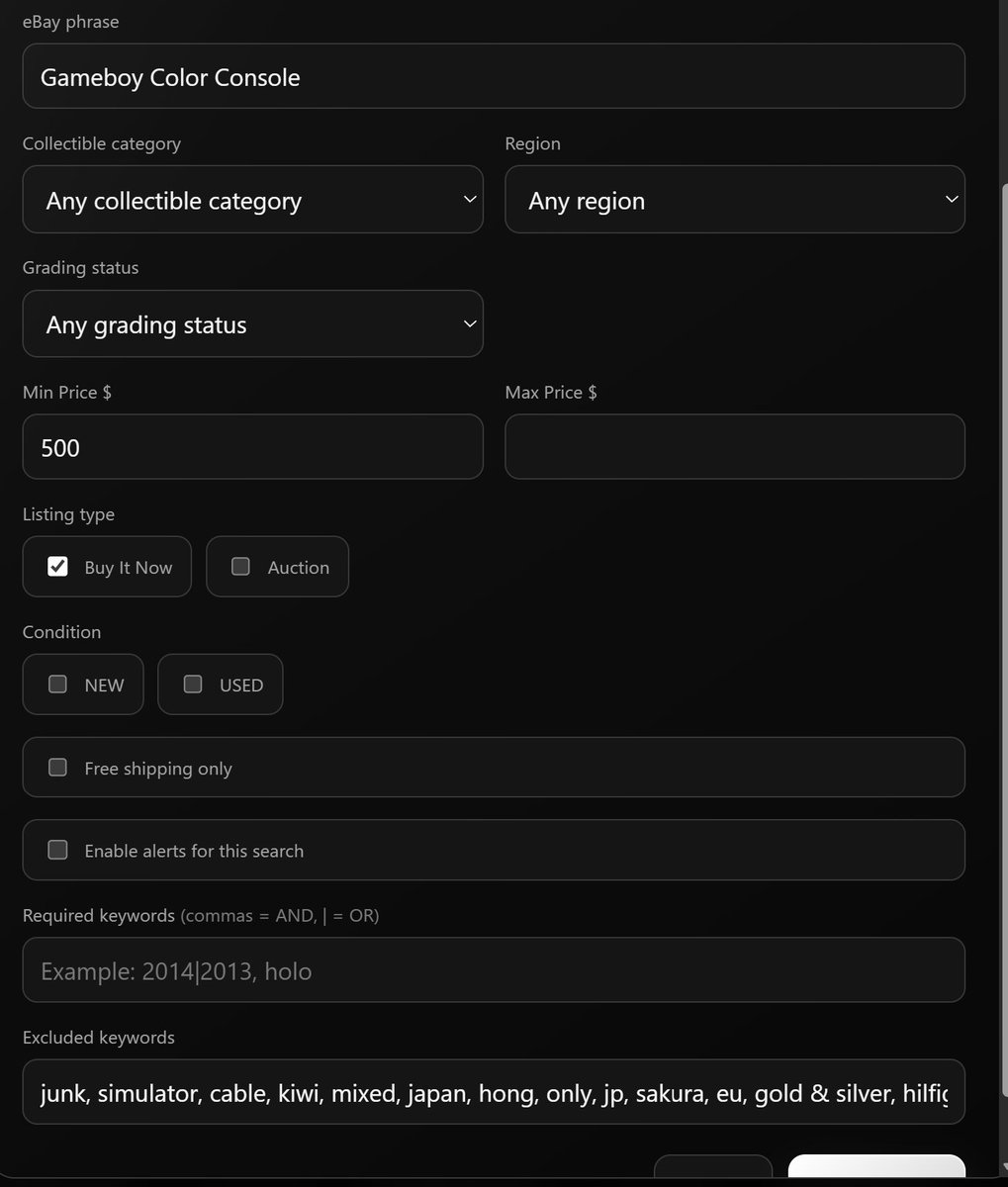
Different collectibles attract different kinds of irrelevant listings. RareAlert lets every saved search keep its own rules instead of forcing one generic filter setup across your account.
The search you currently run most often is usually the best place to begin.
Create a free search