
Start with the normal eBay search
Search eBay using the main phrase for the item. Review the results and write down the words that repeatedly identify unwanted listings.
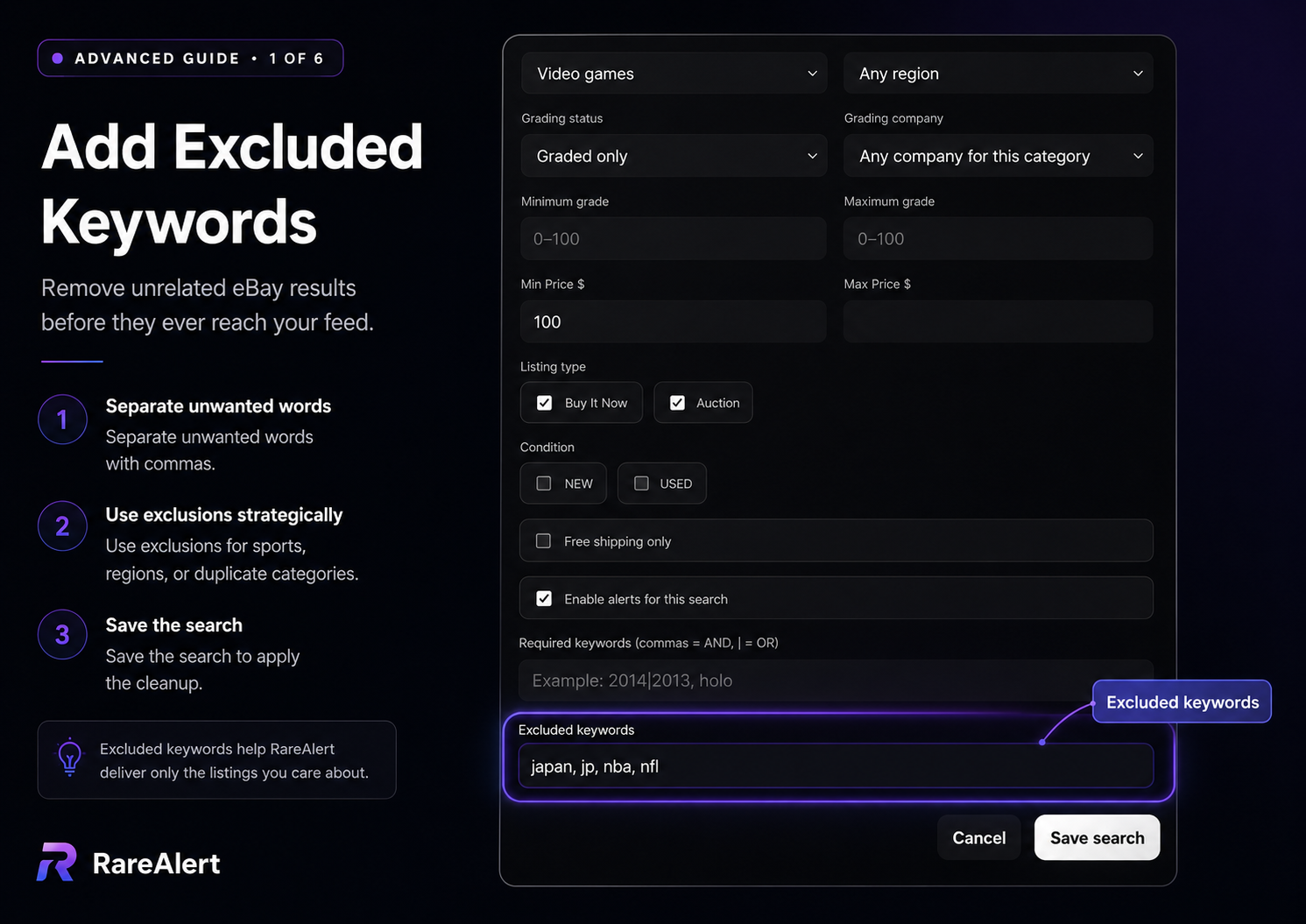
For a sealed video game search, common noise may include case only, manual, reproduction, custom, loose, box only, or unwanted regional terms.
Exclude patterns, not one-off titles
The goal is to remove a category of bad matches. A useful exclusion appears across many unwanted listings and rarely appears in a listing you would want.
Avoid overly short fragments when they could be part of legitimate words. Review the feed after every major change so a broad exclusion does not remove good inventory.
- Accessories when you want the main collectible
- Cases, manuals, shells, or boxes when you want a complete item
- Reproduction, proxy, custom, or unofficial products
- Broken, repair, parts, or damaged inventory
- Unwanted regions, languages, sports, platforms, or editions
Combine exclusions with grading and price filters
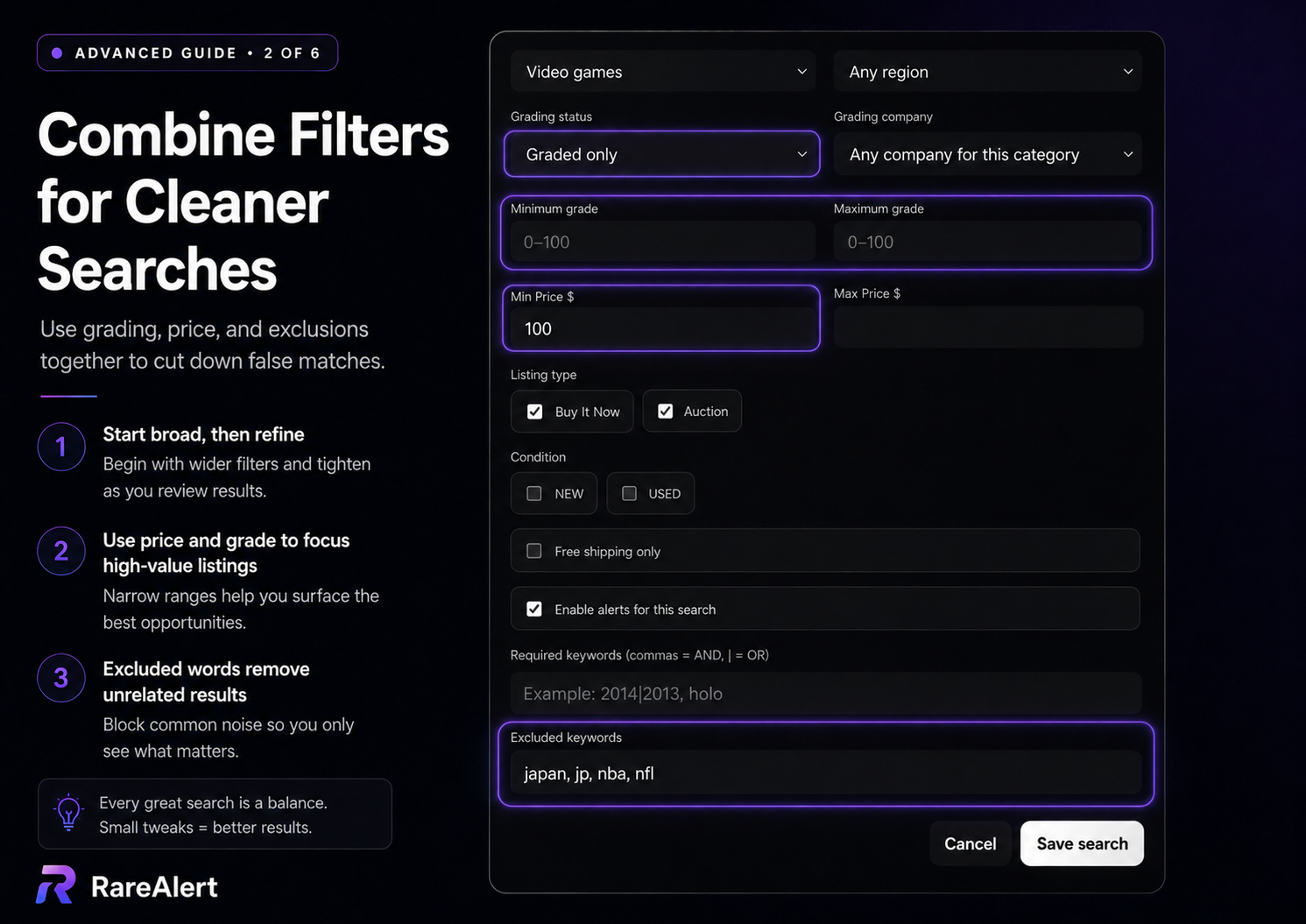
Exclusions work best as one layer of a search. Grading filters can isolate graded inventory, while price limits can remove low-value accessories or unrealistic listings.
RareAlert lets each saved search keep its own exclusion list, so a term blocked for one collection does not affect another.
A broad SNES search might exclude japan, jp, nba, nfl, case only, manual only, reproduction, and parts, then use a minimum price to focus on higher-value listings.
Use Hide for one-off false positives
Not every bad result deserves a permanent keyword rule. Use Hide when one individual listing is irrelevant but its title does not reveal a reusable exclusion pattern.
This keeps the saved search broad enough to find future listings while removing the specific result from your feed and alerts.