
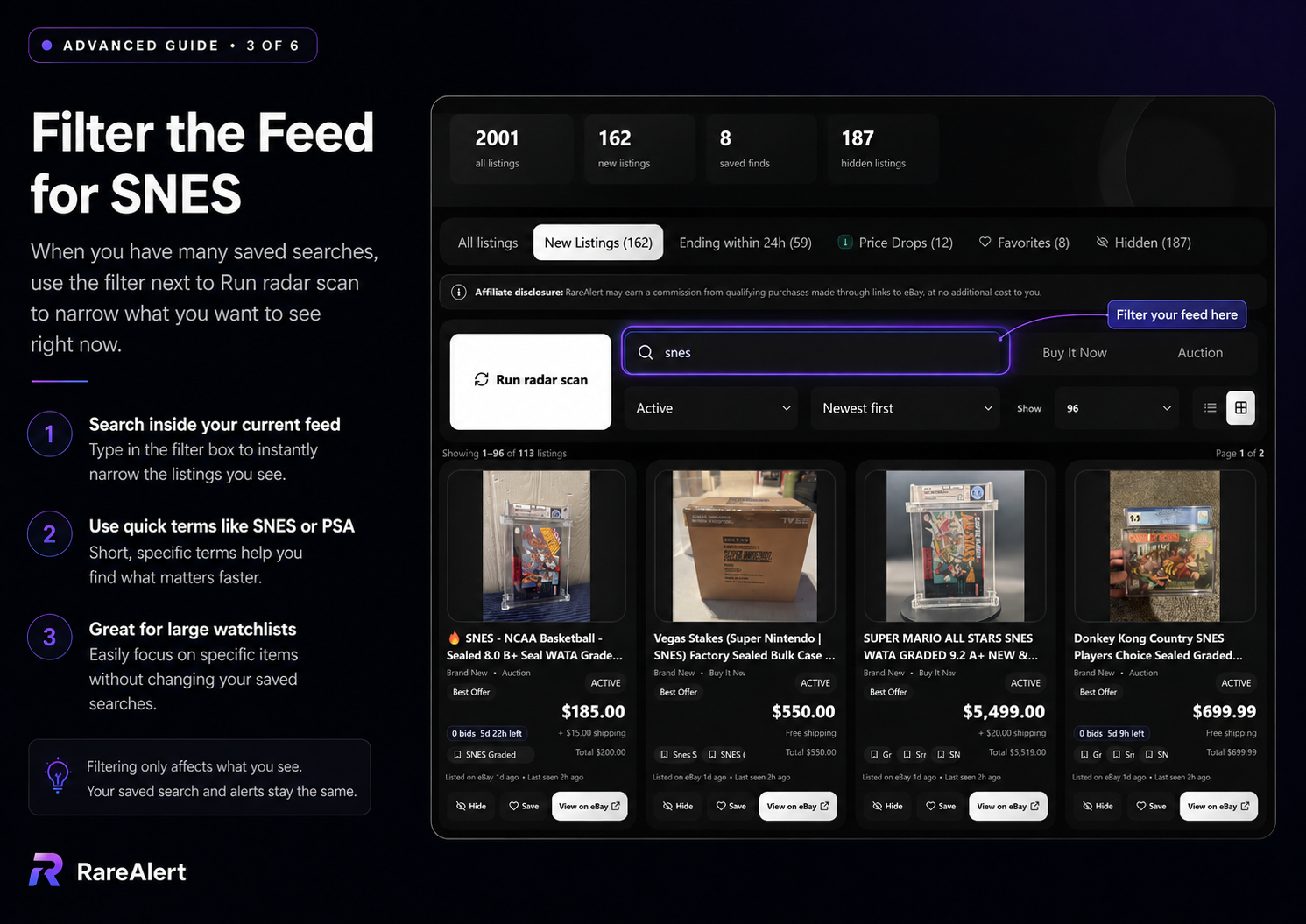
Sort the eBay results by newly listed
On eBay, run the search and choose the newly listed sort order. This places the most recently created listings first, which is useful for a quick manual check.
Repeat the same search consistently. Changing the phrase or filters each time makes it harder to know whether a result is truly new or simply newly visible because the query changed.
Save the search when you plan to repeat it
A saved search preserves the phrase and filters. Give it a clear name, keep the query broad enough to find inventory, and use exclusions or required keywords to control false matches.
Enable alerts only on searches that are focused enough to deserve attention. A noisy search creates alert fatigue and makes real opportunities easier to miss.
Use RareAlert's New Listings feed
RareAlert separates listings that have not yet been reviewed into the New Listings tab. Opening or reviewing an item moves it out of the new queue while keeping it available in the broader feed.
The feed-level search box can narrow what you see right now without editing the underlying saved search. That is useful when a large watchlist contains many categories.
The live feed filter only changes the current view. Required keywords, exclusions, price, grading, and listing type change the saved search itself.
Build a repeatable review routine
Open New Listings, inspect the strongest matches, save the items worth revisiting, and hide one-off false positives. This turns repeated searching into a manageable queue instead of starting from zero every time.
For active auctions, use the Ending within 24h view to return to listings as the closing time approaches.