
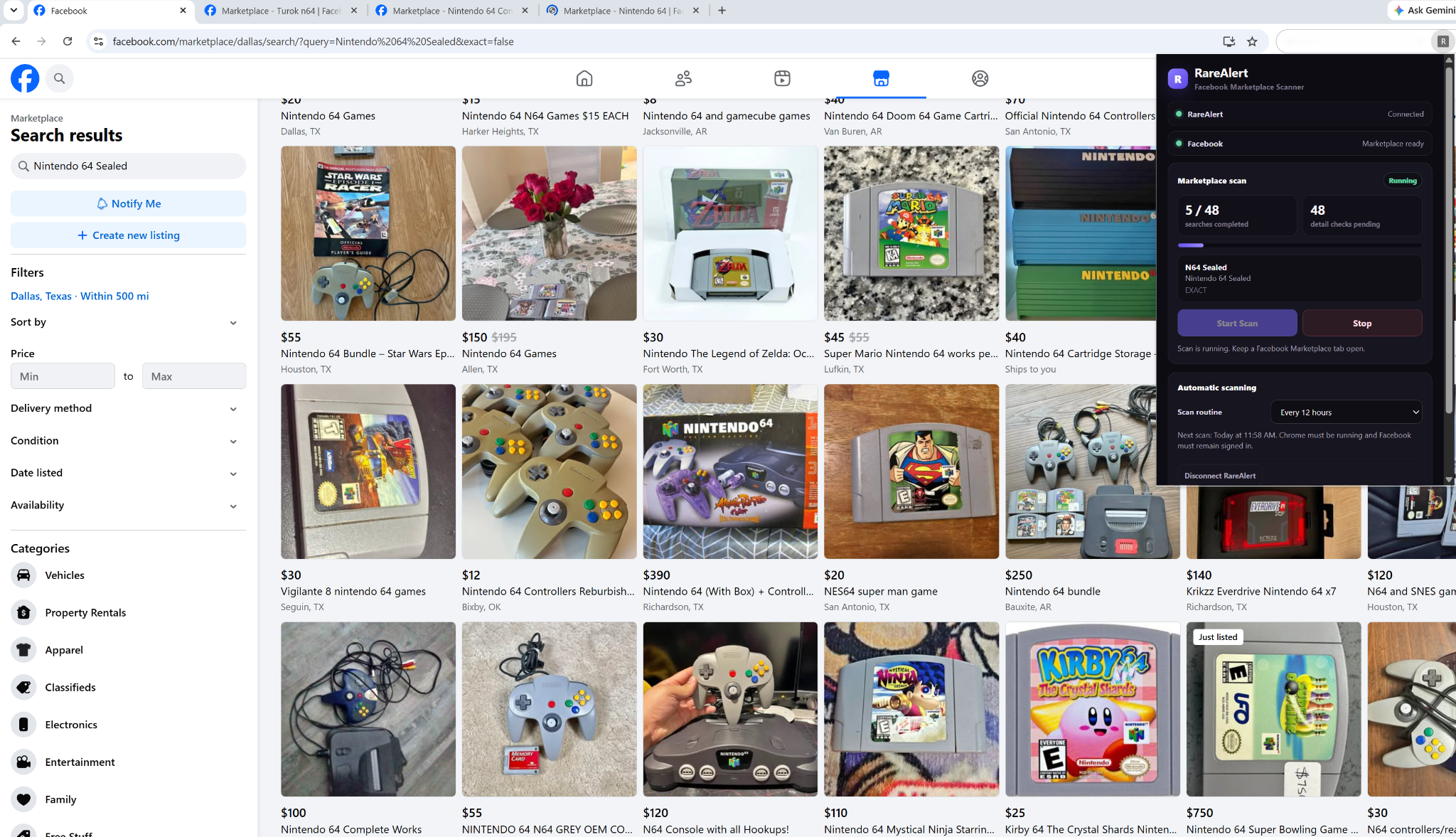
The selected Marketplace location changes the pool of results
Facebook Marketplace is location-aware. A search is not just a phrase such as “Nintendo 64 sealed”; it is also being viewed from a selected Marketplace location and within a selected radius.
Change that location and Facebook can return a different set of listings. That is why a collectible that is easy to find while searching one region may never appear when you run the same search from another city.
Your search radius matters too
The selected radius controls how far Marketplace is allowed to look around the current location. For RareAlert nationwide scanning, the recommended setup is a 500-mile radius.
RareAlert then changes the Marketplace location while preserving that larger radius, allowing the same saved search to cover several large search areas instead of only the user's normal local region.
Why changing cities can reveal listings you did not see before
Imagine a listing that sits well outside the radius of your normal Marketplace location. Searching from a different city can move that listing into the active search area. Repeating the process across several regions gives collectors a better chance of discovering listings that would otherwise remain outside their usual Marketplace view.
Facebook decides which results are returned for each search and location. Rotating locations can greatly broaden discovery, but no scanner can guarantee that Facebook will expose every Marketplace listing.
Suggested and newly listed views can show different candidates
Marketplace can also present results differently depending on how the results are ordered. RareAlert uses more than one discovery view where useful so that a promising listing is not dependent on only one ordering of the search results.
For broader alternate search phrases, RareAlert uses a more selective discovery pass to keep the queue from becoming unnecessarily slow. The saved-search matcher remains the final decision maker regardless of which discovery pass found the listing.
Search-result cards can be missing important information
Location is not the only reason Marketplace can feel inconsistent. Search cards are compact previews. They may contain only a short title, price, image, and location even when the full listing has much more useful information.
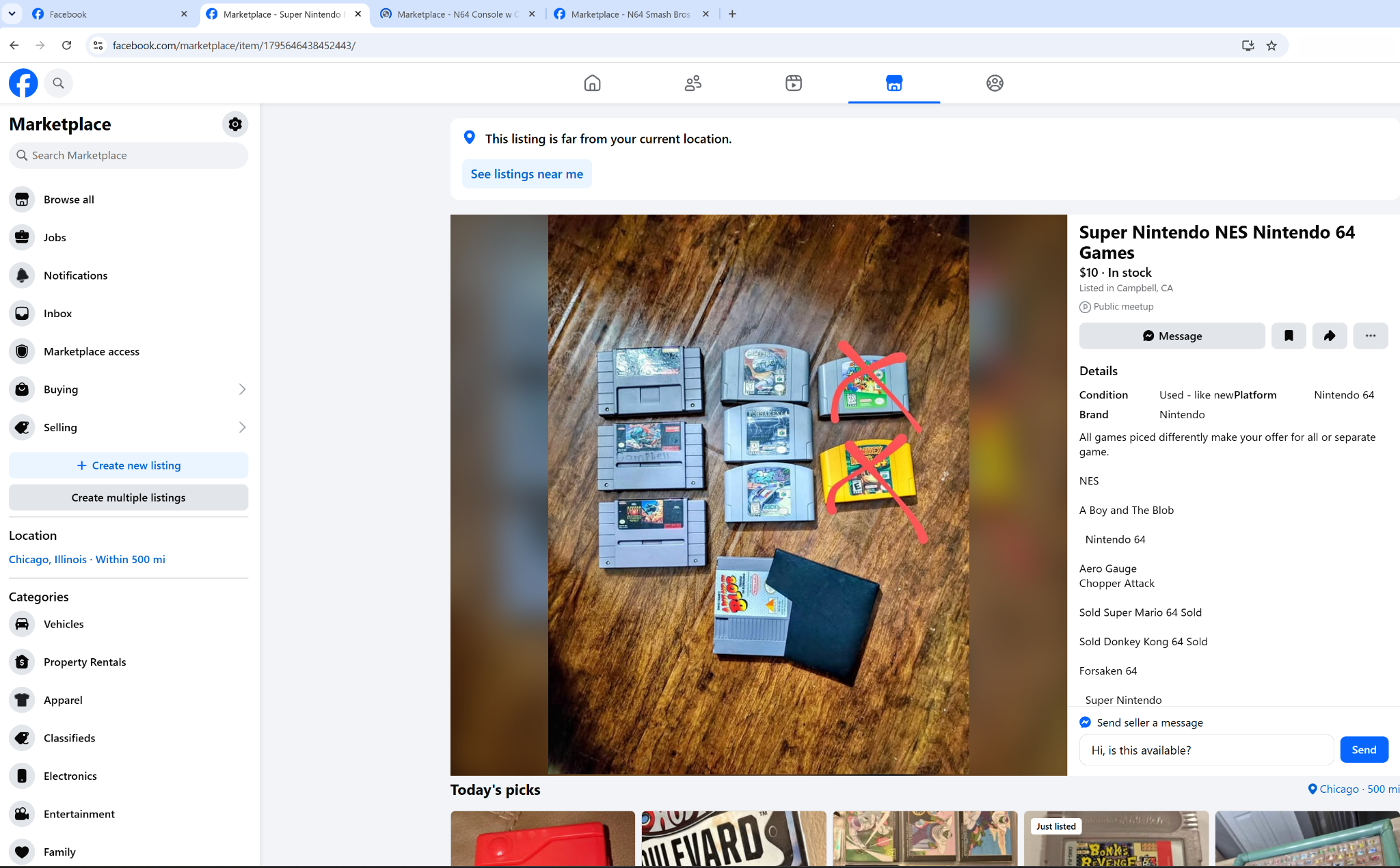
The opened listing above contains details that are not obvious from a compact result card. For a collector search, those extra words can change whether the listing is relevant.
Why RareAlert sometimes opens a listing before deciding whether it matches
RareAlert first discovers candidates from Marketplace search results. If a candidate looks potentially relevant but the result card does not contain enough information, the scanner can open the individual listing for a deeper check using the additional visible listing information.
This helps RareAlert avoid making every decision from a short Marketplace preview. A fuller description can clarify the item, condition, included products, model, or other details needed by the saved-search matcher.
That is also why you may occasionally see additional Marketplace tabs open while a scan is running: they are being used to inspect candidate listings that need more context.
RareAlert separates discovery from matching
A listing appearing in Facebook's results is only the discovery step. RareAlert still checks the candidate against the saved search before surfacing it as a match.
Required keywords, exclusions, collectible-specific rules, and other applicable filters can reject a listing even if Facebook itself considered it relevant to the search phrase.
How RareAlert handles location-dependent Marketplace results
Instead of making the user manually repeat the same search city by city, RareAlert builds a queue from Facebook-enabled saved searches, rotates those searches through multiple Marketplace locations, and checks the results it encounters.
To see the complete workflow, read how to search Facebook Marketplace nationwide with RareAlert. For setup details, see how Facebook Marketplace scanning works with RareAlert.
Ready to use the scanner?Install RareAlert Marketplace Scanner from the Chrome Web Store.